From $40 to $17/Month: How I Cut My AWS Bill by 60%

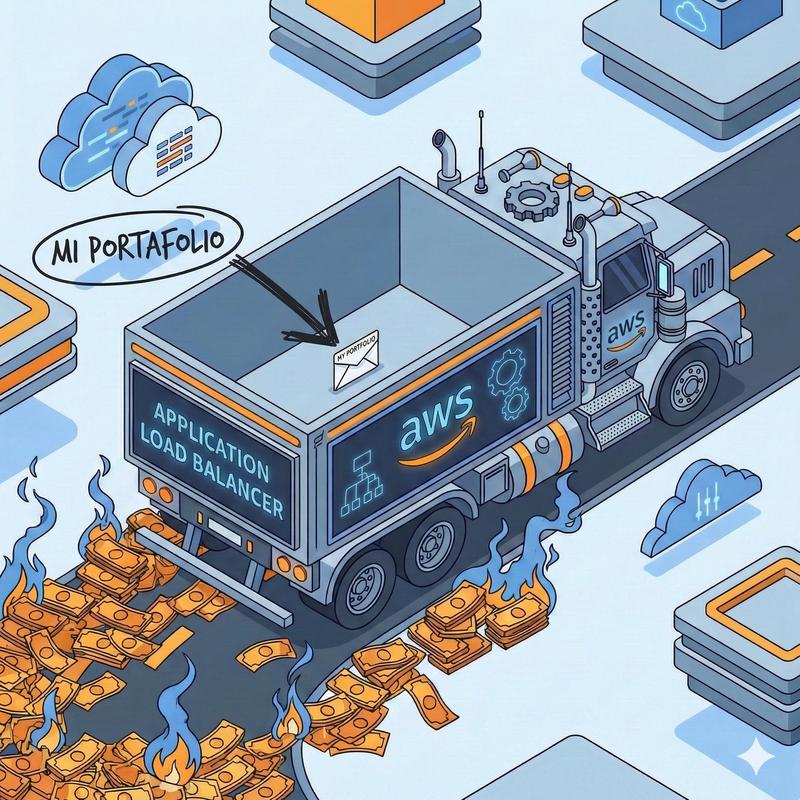
Do you really need a Load Balancer for your portfolio?
The story of how an Application Load Balancer almost destroyed the budget of my personal portfolio
📋 TL;DR
- Problem: AWS bill of ~$42/month for a personal portfolio
- Cause: Unnecessary Application Load Balancer + VPC setup
- Solution: Move to direct EC2 + native Nginx + Certbot
- Result: ~$17/month (60% savings = ~$300/year)
- Trade-offs: None that actually mattered for my use case
The Bill
December 2025. I had just successfully deployed my portfolio on AWS after weeks (months) of development. Since 2025 was basically my “learn AWS” era, I wanted to put everything into practice. So I deployed my portfolio with a stack like:
(Route 53 -> Application Load Balancer (with ACM for SSL) -> EC2 (t3.micro) -> Docker (Nginx + Gunicorn + Django + PostgreSQL + Redis))
I felt like an enterprise solutions architect.
Then the first AWS bill showed up: $41.69 ($15 of that was the domain, but considering the site was only up for ~14 days, prorated it was closer to $45.33).
For context: my portfolio is new and gets very few visits per day. It’s literally a site where I show my projects and write the occasional post. It’s not Netflix. It’s not Twitter. It’s… my personal blog.
$41.69/month × 12 months = $500/year just to serve my resume in HTML.
Absolutely not.
Something was wrong.
Bill Anatomy
I opened AWS Cost Explorer like a detective looking for a suspect. Here’s the breakdown:
AWS Monthly Charges (December 2025): $41.69
├─ Amazon Registrar (Domain)         $15.00  ✅ One-time annual payment
├─ EC2 t3.micro                      $9.64  ✅ Reasonable
├─ Amazon VPC                        $8.40  ⚠️  Elastic IP / NAT?
├─ Elastic Load Balancing            $8.13  ❌ UNNECESSARY
├─ Route 53                          $0.52  ✅ Minimal
└─ Other (S3, KMS, etc.)             $0.00  ✅ Free Tier
───────
Subtotal charges:                    $41.69
Free Tier credits:                  -$26.69
───────
Total billed:                        $15.00
The villain: Elastic Load Balancing ($8.13) + VPC costs ($8.40) = $16.53/month of completely unnecessary infrastructure for a personal portfolio.
When the Free Tier expires, I’d be paying $26.69/month just for compute and networking.
For a blog that gets a handful of daily visits.
Why was the ALB so expensive?
ALB pricing has two components:
| Component | How it’s billed | Cost |
|---|---|---|
| Base charge | Just for existing (24/7) | $0.0225/hour → $16.20/month |
| LCU charge | Actual traffic usage | $0.008 per LCU-hour |
What’s an LCU?
An LCU (Load Balancer Capacity Unit) is calculated based on the maximum of:
- 25 new connections/second
- 3,000 active connections/minute
- 1 GB/hour processed
- 1,000 rule evaluations/second
My reality vs. what I paid
| Metric | My real usage | Real cost | What I was paying |
|---|---|---|---|
| Connections | ~2/hour | ~$0.00 | — |
| Data processed | ~100 MB/day | ~$0.50/month | — |
| Base charge | — | — | $16.20/month |
| Total | — | ~$0.50 | ~$16.70 |
The problem: 97% of my ALB cost was just for having it running, not for actually using it.
For a blog with low traffic, I was paying for infrastructure meant to handle millions of requests.
🏗️ The Original Architecture
Initial Setup (December 2025)
graph LR
    A[Internet] --> B[Route 53]
    B --> C[Application Load Balancer]
    C --> D[EC2 Instance]
    D --> E[Nginx Container :80]
    E --> F[Gunicorn :8000]
    F --> G[Django App]
    D --> H[(PostgreSQL<br/>Container)]
    D --> I[(Redis<br/>Container)]
Traffic flow:
HTTPS Request (henfrydls.com)
    ↓
[Route 53] DNS resolution
    ↓
[ALB] SSL termination (ACM certificate)
    ↓ HTTP
[EC2:80] Nginx container
    ↓
[EC2:8000] Gunicorn (Django)
    ↓
Response
Why did I do it this way?
My justifications back then:
- “Best practices” — every AWS tutorial uses an ALB
- Automatic SSL — ACM renews for free
- Scalability — “when I grow, I can add more instances easily” → as if I were Netflix
Reality check:
- ❌ “Best practices” are for companies with budgets, not my blog
- ❌ Certbot does the same for free. FREE.
- ❌ “When I grow” — it’s been a month and I’m still at like 20 visits
The Solution (That I Ignored Because of “Best Practices”)
The funny part is: I already knew how to solve this.
Months ago, I’d worked with a similar setup: Nginx directly on the machine + Certbot + Docker for the app. It worked perfectly.
But no, this time I had to use an ALB because “that’s what professionals do.”
What I had already done before (and it worked):
HTTPS Request (henfrydls.com)
    ↓
[Route 53] DNS resolution
    ↓
[EC2:443] Native Nginx + Certbot SSL
    ↓
[EC2:8000] Gunicorn (Django) in Docker
    ↓
Response
The real trade-off:
- ❌ Nginx leaves the container (less Docker “purity”)
- ✅ Free SSL with automatic renewal
- ✅ ALB completely gone
- ✅ SSH limited by IP for security
The real numbers:
| Architecture | Monthly cost | Annual cost |
|---|---|---|
| With ALB + t3.micro | ~$35/month | ~$420/year |
| Direct + t3a.small | ~$14/month | ~$168/year |
| Savings | $21/month | $252/year |
$252/year may not sound like much, but for a personal project it’s: 2+ premium domains, a Nintendo Switch, 1 year of Platzi Expert+ (and money left over), a Raspberry Pi… you get the idea.
Why t3a.small and not something smaller? I preferred having room to breathe and then optimize with AWS Compute Optimizer instead of starting too tight.
The Migration
Not gonna lie, I thought this would be harder.
The Change
The difference was simpler than it sounds:
| Component | Before (ALB) | After (Direct) |
|---|---|---|
| Load Balancer | ALB (~$18/month) | None |
| Nginx | In container | Native on EC2 |
| SSL | ACM (requires ALB) | Certbot (free) |
| Gunicorn | Internal port | Bound to localhost |
| Total cost | ~$35/month | ~$14/month |
The New Architecture
Internet
    ↓
Route 53 (DNS)
    ↓
EC2 :443
    ↓
NATIVE Nginx (SSL via Certbot)
    ↓
Gunicorn :8000 (Docker)
    ↓
Django App
    ↓
PostgreSQL + Redis (Docker)
Fewer hops. Fewer AWS services.
What about local development?
Docker Compose profiles. I can spin up Nginx in a container if I need to simulate production. Same repo, different configurations depending on what I want to test.
The Actual Changes
- Nginx leaves the container → installed directly on EC2
- Certbot for SSL → 5-minute setup, auto-renew every 90 days
- Gunicorn on :8000 → native Nginx proxies to it
Full code is in commit 4ddf33c.
The Moment of Truth
After setting everything up, it was time.
AWS Console → Load Balancers → Delete.
"Are you sure?"
Click. 20 seconds of panic. Browser refresh.
Green SSL. Website up.
(Okay… it was slightly more chaotic than that, because I later found a bug with the profiles.)
Results
Bill — January 2026
AWS Monthly Bill: ~$17/month  (vs ~$42/month before)
├─ EC2 t3a.small                    ~$11.50
├─ VPC (Elastic IP)                 ~$3.60
├─ EBS Volume                       ~$1.55
├─ Route 53                         ~$0.83
└─ Application Load Balancer        $0.00  💰 ELIMINATED

SAVINGS: ~$25/month → ~$300/year
What did I lose?
Nothing I care about.
What I still have:
- Automatic SSL (Certbot renews every 90 days)
- HTTP → HTTPS redirect
- Nginx serving static files directly
- gzip compression
- Security headers
What I “lost”:
- Horizontal auto-scaling → I’ve never had more than 5 req/s
- Multi-AZ failover → it’s my portfolio, not a bank
- ALB health checks → other tools do this for free
ALB solves problems I simply don’t have.
🎓 Lessons Learned
1. “Best Practices” doesn’t mean “Best for YOU”
The industry sells you scalability you don’t need.
AWS tutorials assume you’re a company with a budget. I’m not. My blog gets 20 visits a day and I was paying for infrastructure built to handle millions of requests.
Ask yourself before implementing: Do I actually need this, or does it just sound professional?
For portfolios, blogs, MVPs, side projects: direct EC2 is enough.
2. Check your bill. Seriously.
If I hadn’t opened Cost Explorer, I’d still be paying $35/month without knowing why. Now I check it every month.
3. Don’t build for traffic you don’t have
I built for 100,000 requests/day. I get 50.
Start simple. Scale when the problem exists, not when you imagine it.
When DO you actually need an ALB?
I’m not saying ALB is bad. It’s bad for my use case.
Use an ALB if:
- You have multiple EC2 instances that need real load balancing
- You need high availability (Multi-AZ, automatic failover)
- Your traffic is above 10,000 requests/day
- The company is paying (not your money 😅)
You don’t need it if:
- It’s a portfolio, blog, MVP, or side project
- A single EC2 can handle your traffic without sweating
- You can tolerate 1–2 minutes of downtime during deploys
Simple rule: if you have to ask whether you need an ALB, you probably don’t.
Conclusion
What I achieved:
- Cut costs from ~$42/month to ~$17/month (60% savings)
- Kept all the functionality I actually use
- Simpler architecture (fewer things that can break)
Real savings: ~$300/year. For a personal portfolio, that’s a lot.
The moral:
The best architecture isn’t the most sophisticated one, it’s the one that solves your problem without paying for features you don’t need.
📚 Additional Resources
Official Docs
Monitoring Tools
- AWS Cost Explorer — analyze spending
📞 Feedback
Did this post help you? Share your story:
- GitHub: Portfolio Manager
Questions? Open an issue on GitHub.
Did you manage to optimize your AWS bill? I’d love to hear your case!
Liked this post? Consider giving ⭐ to the GitHub repo or sharing it with someone who’s paying way too much for AWS.